
Ask around and most people can’t actually explain what a domain is, not properly anyway. They just use the internet, and that’s fine, until they need their own website and suddenly words like domain, URL, and hosting start feeling like a foreign language. If that’s where you’re at right now, typing “what is a website” into Google trying to make sense of it all, you’re exactly who this guide is for. We’ll go in order. What a website even is, how domains and URLs connect, how to spot one, what subdomains and parked sites mean, and then the part that actually matters, buying a domain and getting a real site live.
What is a Website?
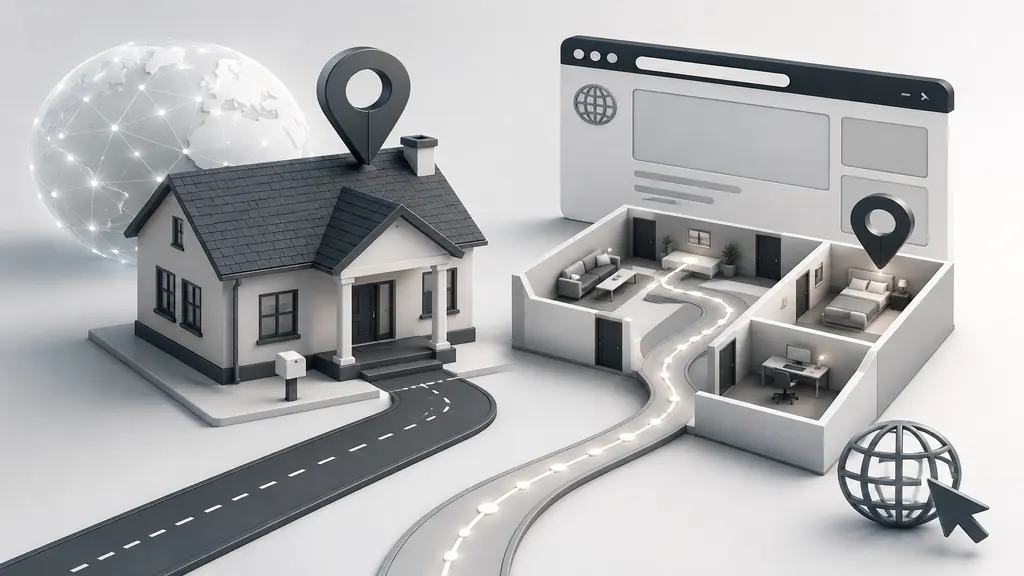
A website, stripped down to basics, is a handful of pages tied together under one address on the internet. Kind of like rooms in a house, except you walk between them with a browser, not your feet.
Blog, online shop, a single page announcing something, doesn’t matter. If it’s hosted and reachable through a link, that’s a website. Nothing fancier going on underneath. Grameen Solar (grameensolar.com) is a good example, a handful of pages showing solar panel products and installation details. AutoCAD India (autocadindia.com) works the same way, service pages built around CAD drafting for clients abroad.
People say “site” too. Same thing, just shorter.
What is URL and Domain Name?
A bit more technical here, so slow down for a second.
A domain name is the name people actually type to reach a site, arafinmedia.com being one example. Sites used to sit behind long number strings, IP addresses, before domain names came along and gave everyone something they could actually remember instead of memorizing digits.
A URL goes further. It’s the full path to one specific page inside that domain, protocol and all. https://www.arafinmedia.com/blog counts as a complete URL, while arafinmedia.com on its own is just the domain.
Domain equals house number. URL equals the whole route to one room inside. Say someone’s looking for photo editing services specifically, the URL might read https://www.clippingcreationsindia.com/services, while clippingcreationsindia.com alone just opens the homepage.
How to Identify a Domain
Messy-looking links trip people up all the time, fair enough, they’re not exactly designed for readability. The trick: find whatever sits between “https://www.” and the first slash. That piece, usually wrapping up in .com, .net, .org, or a country code, is the domain.
Break down https://autocadindia.com/services/bim-outsourcing and autocadindia.com is the domain, full stop, everything past the slash just points somewhere inside the site. Same logic works for https://www.grameensolar.com/products, grameensolar.com is the domain, the rest just leads to a specific page. Do this a handful of times and it becomes automatic, no real thinking involved.
Domains don’t have to stay one flat name, though. They can branch into smaller pieces.
What is a Subdomain?
A subdomain sits right in front of the main domain, separated by a dot, working almost like its own site while staying attached to the parent. blog.arafinmedia.com or shop.grameensolar.com would both count as subdomains, branching off their respective main domains while still belonging to the same brand.
Why bother splitting things up? Organization, mostly, without paying for a whole new domain each time. A blog on one subdomain, a store on another, support somewhere else, one recognizable name holding it all together.
What is a Parked Website?
Ever open a link and land on a page that just says “coming soon,” or one crammed with random ads and nothing useful? That’s usually a parked website, meaning someone registered the domain but hasn’t put a real site on it. Picture autocadindia.com before it ever had service pages or a blog, back when it was just registered, it would’ve looked exactly like that, a blank placeholder with nothing to click.
Happens for two main reasons. Someone locks the name down early before a competitor grabs it, planning to build later. Or they’re just holding it as an investment, betting they can resell it for more down the line. Empty and generic, that’s the tell either way.

How Many Domains Are There?
Bigger number than most people expect. Hundreds of millions of domains are actively registered right now, and that figure only keeps climbing as more businesses and side projects claim their own slice of the internet.
.com, .net, .org don’t own the whole space anymore either. Country codes like .bd for Bangladesh sit right alongside them, plus newer extensions like .store, .tech, and .online, giving people way more room to land on a name that actually fits. Clipping Creation India, for instance, went with clippingcreationsindia.com instead of squeezing into a shorter, harder-to-get name.
Given how crowded it’s gotten, here’s how you’d actually go claim one.
How Do I Buy a Web Domain Name?
Not as complicated as it sounds, honestly:
- Pick a registrar: Namecheap, GoDaddy, Hostinger, take your pick. Fair pricing and support that actually responds matters more than the brand name.
- Search the name you want: type in something like “grameensolar” and see what’s free. Available, great, move on. Taken, most registrars suggest alternatives close enough to work.
- Choose an extension: .com is the default most people reach for, but a local option like .com.bd might suit a Bangladesh-based audience just as well.
- Pay and finish checkout: cart, details, registration fee, usually billed once a year, often somewhere between $10 and $15 for a standard .com.
- Link it to hosting: this connects the domain to wherever the actual site files will live.
That’s really most of it. Registrars walk you through each step anyway, so the whole thing rarely takes more than a few minutes.
How to Build Website From Scratch
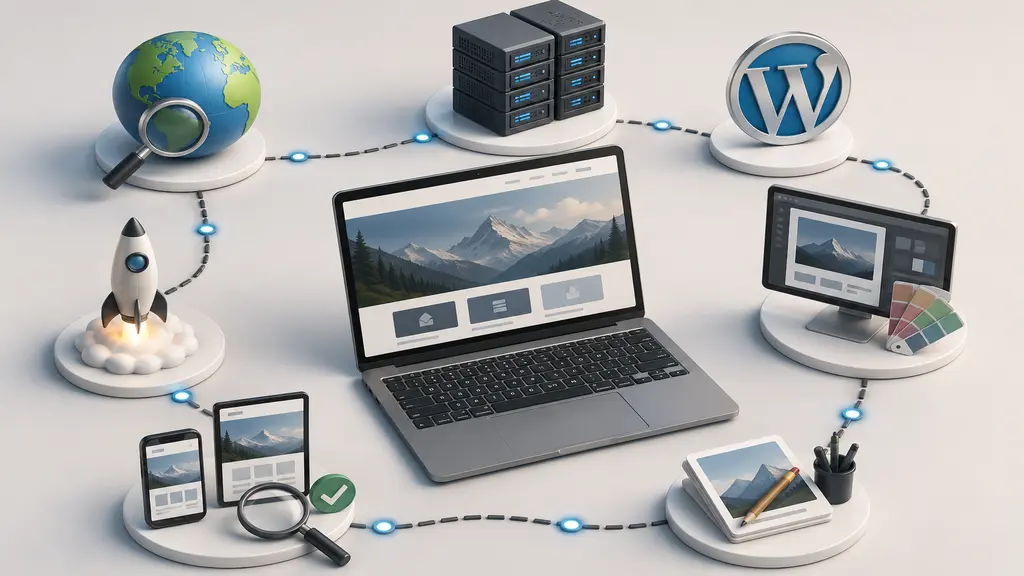
No coding needed, none at all, if you go about it right. Here’s roughly how:
- Register the domain first: follow the steps above, since it becomes the site’s permanent address.
- Sort hosting out: this is where the files actually live and stay reachable online. We run Arafin Media on Hostinger, it’s budget-friendly and a common pick among small agencies for good reason.
- Pick a platform: WordPress covers most needs and stays manageable for beginners, which is exactly what powers sites like arafinmedia.com and autocadindia.com behind the scenes.
- Grab a theme: something that fits the purpose, a clean service-page layout for something like AutoCAD India, or a product-focused theme for a solar business like Grameen Solar.
- Fill in content: Home, About, Services, Contact, real images, text that actually helps whoever’s reading, not just filler paragraphs.
- Test everything: before hitting publish, check links, load speed, how it looks on a phone versus a laptop.
Once that’s done, publish it. That’s a live site, reachable by anyone, anywhere.
Conclusion
Take it apart piece by piece and none of this stays complicated for long. A website is a spot on the internet, a domain name is its address, a URL is the exact path to a page inside it. Knowing how to spot a domain, what subdomains and parked sites actually mean, roughly how many exist, and how buying one works, that’s genuinely enough groundwork to start.
Blog, business site, online shop, doesn’t matter which one, the starting point stays the same: decent domain, reliable hosting, content worth someone’s time reading. One step at a time, and a real website carrying your name shows up faster than expected, arafinmedia.com, grameensolar.com, clippingcreationsindia.com, and autocadindia.com all started out exactly this way.