
Website structure is the thing most business owners never think about until their site already feels broken. You click around, can’t find the page you need, and give up in under a minute. That’s not bad luck, that’s a structure problem. So what is website structure, really? It’s just the way a site’s pages, menus, and internal links are arranged so people, and Google, can move through it without hitting dead ends every second click. A site can look gorgeous and still fail here. A plain-looking site with a solid structure usually wins anyway.
This one’s going to walk through what website structure actually means, how to plan one out before building anything, how to design a site from scratch, what it typically costs, and what to do when you need to edit it later. A few live sites get pulled in as examples so none of these stays purely theoretical.
What Is Website Structure and Why Does It Matter
Think of a website like a body, sort of. The homepage is the head, the main menu items work like limbs, and everything else hangs off those somewhere logical. Content is what fills it out, design is what dresses it up, and structure is the skeleton underneath holding all of it together. Take that part away and the rest doesn’t really matter.
A structure that actually holds up usually looks something like this:
- A homepage that doesn’t try to do everything: most people land here first, so pointing them toward two or three main things beats throwing the whole business at them in one go.
- Top-level categories people already expect: Services, About, Blog, Contact belong in the main menu simply because that’s where visitors go looking, nobody has to explain it to them.
- Subpages that stay connected to something: a service page sits under its category and links back up to it, it shouldn’t be floating around with no relationship to anything else on the site.
- Links that tie related pages together: a blog post mentioning pricing ought to link straight to the pricing page itself, sounds obvious, gets ignored constantly anyway.
Skip this and two things tend to happen fast. Visitors leave sooner than they arrived, and Google’s left guessing which pages on the site actually matter, not exactly its strong suit.
How to Plan a Website Structure Step by Step
Before opening any design software, grab a notepad. Seriously, paper works fine here. This is how to plan a website structure without missing something you’ll regret later:
- Write down every single page: including the dull ones. Privacy Policy, Terms of Service, these get forgotten until launch week, every time.
- Group the similar ones: three services shouldn’t sit scattered across a menu like they’re unrelated. Put them under one shared parent.
- Pick four to six main nav items: not ten. Ten items in a menu just dilutes everything and confuses whoever’s clicking around.
- Count the clicks: anything important should be reachable within three clicks of the homepage. Bury it deeper and it basically stops existing for most visitors.
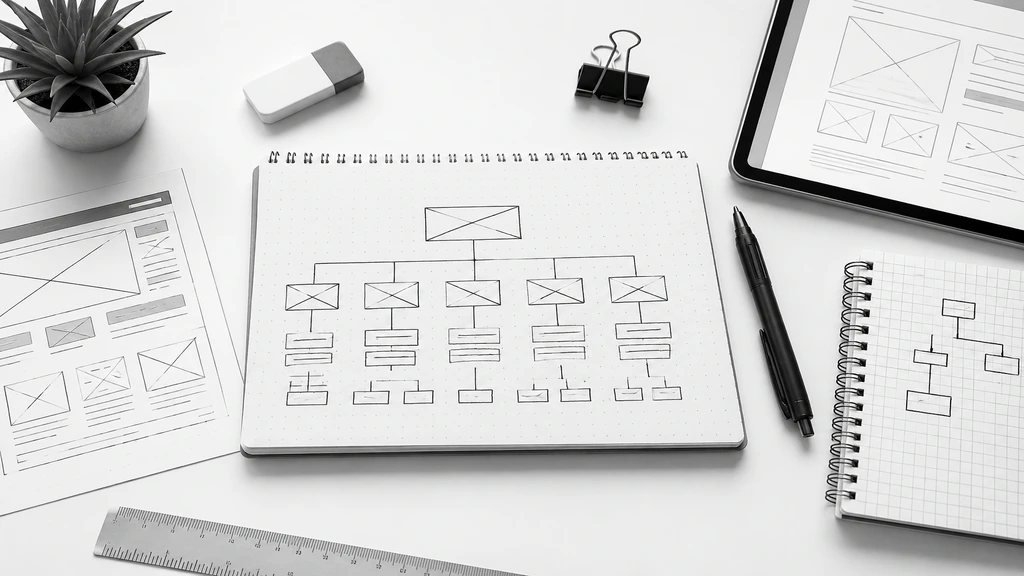
- Draw something, anything: a rough sitemap, even scribbled badly on a napkin, tends to expose duplicate pages or gaps before a developer touches a line of code.
Do this part properly and the actual build goes noticeably faster. You already know where everything belongs before you’ve opened a single tool.
How to Design a Website From Scratch
“Scratch” meaning nothing, not even a logo yet, sounds like a lot. It usually isn’t, once the whole thing gets broken into smaller decisions instead of one giant task sitting on your desk.
- What’s the site even for: selling, collecting leads, sharing info, showing off past work? Pick one, maybe two, trying to do all four at once is how sites end up cluttered and pointless.
- The platform should match the job, not the trend: WordPress works well for content-heavy sites, Shopify’s built around stores, and custom code only starts making sense once templates genuinely can’t handle what’s needed.
- Templates come from the sitemap, not guesswork: whatever got sketched in the planning step decides how many layouts are needed, a homepage, maybe a service page, maybe a blog template too.
- Mobile first isn’t really optional anymore: most visitors show up on a phone these days, so if that version looks clunky, that’s the first thing worth fixing, not something to circle back to “later.”
- Every page needs somewhere to send people: a form, a quote request, a button that says buy. Otherwise the page just sits there, doing nothing for anyone.
Real examples help more than theory here. AutoCAD India keeps its homepage narrow on purpose, one message, services and pricing tucked into the top menu, nothing shouting for attention. Grameen Solar does something close, a short intro, then products, services, and pricing split into their own sections lower down the page. Clipping Creations India throws trust signals in early, client counts, star ratings, right where a first-time visitor’s eyes land. None of these three are flawless, but they’re worth studying before sketching a layout of your own.

How Much Does It Cost to Design a Website
Everyone eventually asks this, and the honest answer is annoyingly vague: it depends on what the site’s supposed to do. Still, roughly:
- A basic informational site: five to eight pages, WordPress, a ready-made theme, this lands on the cheaper end of things.
- A custom business site: custom layouts, extra pages, features like booking forms, each of these adds hours, and hours cost money.
- An online store: product listings, payment gateways, security requirements, e-commerce sites climb well past a standard business site because of all this.
- Costs after launch: domain renewal, hosting, ongoing maintenance, budget for these upfront instead of getting surprised by them later.
Chasing the lowest price tag usually backfires. Spending in line with what the site actually needs to achieve tends to work out better months down the line. For a deeper breakdown of pricing factors, this detailed cost guide covers it well.
How Do I Edit a Website
No website stays finished, ever. Content ages, images go stale, new services get added, and at some point the question shows up: how do I edit a website once it’s already live? Depends entirely on what it’s built on.
- WordPress: edits happen right in the dashboard, usually through something like Elementor, no code needed at all.
- Website builders: Shopify, Wix, these ship with drag-and-drop editors built in already, handy for quick text or image swaps.
- Custom-coded sites: bigger changes generally need a developer, though small text tweaks might be possible through a content panel if someone set one up.
- Back up first, always: this gets skipped constantly, and it’s the one habit that saves real headaches when an update goes sideways mid-edit.
Learning your own platform’s editor is worth the hour it takes. Small updates stop meaning a phone call every single time something needs to change.
Conclusion
Website structure isn’t something to deal with later, it’s the actual reason people stay on a site or leave within seconds of landing on it. Plan it first. Design around that plan. Be honest about the budget. Know how to make edits down the line. Do those four things and building a website stops feeling like some process only developers understand. Start small, a rough sitemap and a clean menu are enough to begin with, the rest tends to grow on its own from there.