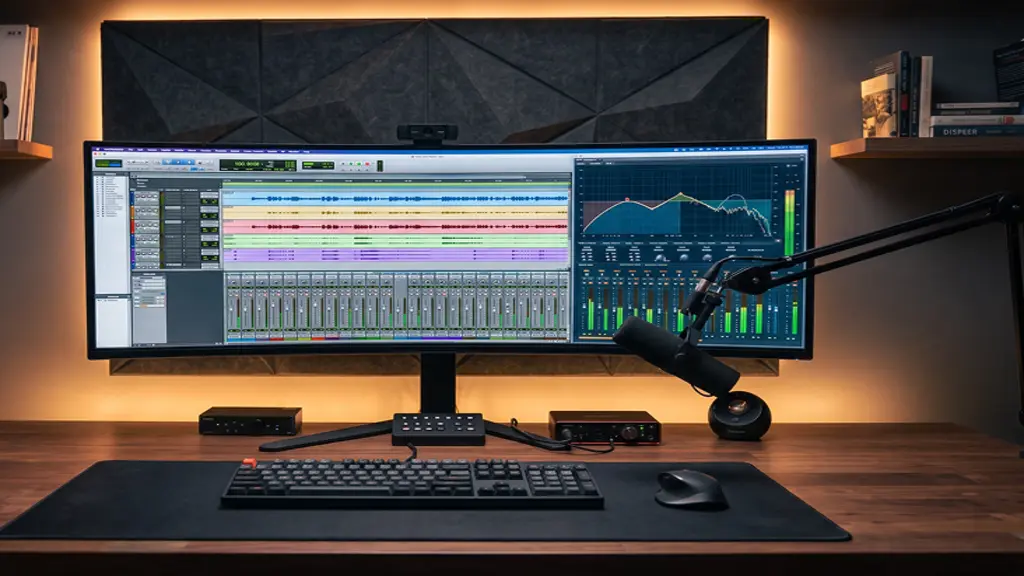
You just finished recording a podcast. That is great. Then you sit down put on your headphones to listen back and realize it does not sound as good as you remember. There are pauses, bumps from the microphone background noise and a lot of other unwanted sounds in your podcast. Editing the podcast well is the solution.
How to Edit a Podcast: A Simple Guide for Clear Sound
1. Choose an Editor. Do not Overthink It
You need audio editing software called a Digital Audio Workstation or DAW for short. That is a term for programs used to edit sound. There are options so do not spend too much time deciding which one to use.
– Audacity is a choice. It is free looks old-fashioned uses computer space and is great for basic cuts.
– GarageBand is another option. If you have a Mac you already have this program. It is clean and easy to use.
– Adobe Audition is a paid program with control. It is good for -track audio or fixing loud background noise.
– Descript is a program. It lets you edit the audio by editing a text version. If you delete a word in the text it disappears from the audio.
Just pick one tool that works for you and use it for an episodes of your podcast.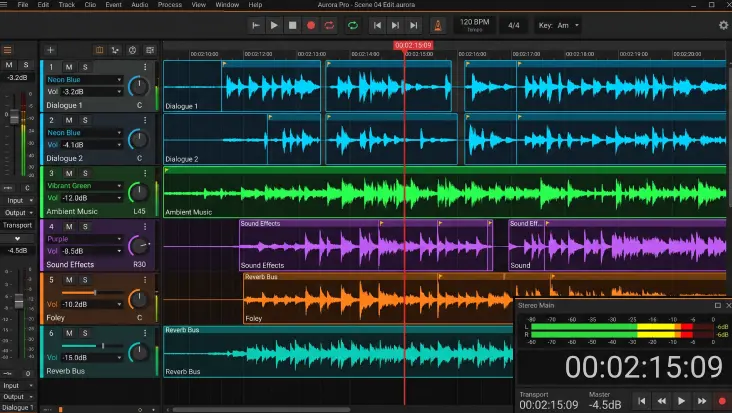
2. Organize Your Files Before Making Cuts
Before you start cutting take a few minutes to set up your workspace. Put all your files in one folder so you do not lose anything later. If you recorded people on microphones place each persons audio on its own track. This makes it easier to adjust their volume or fix background noise without affecting the others. Look at the waveforms on your screen. If you see spikes at the top of the track that means the microphone was too loud and the audio might be distorted.
3. Basic Cuts and Removing Background Hiss
Your pass should focus on the flow of the story and some simple cleanup. Do not worry about fixes yet. Start by fixing background hums like fans, air conditioners or street sounds. Most programs have a noise reduction feature. Select a seconds of quiet audio where no one is speaking and tell the software to clean up that noise throughout the track.
Then make your main cuts:
– Trim the chat before the show starts.
– Cut out pauses or moments when someone is confused.
– Remove extra words but do not take too much out. If you remove many the speakers might sound like robots.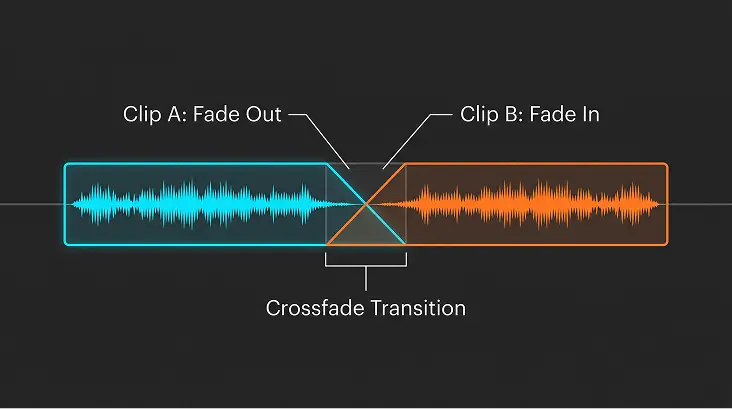
4. Simple Audio Effects: EQ, Compression and Volume
Once your main cuts are done you can add an audio effects to make the voices sound balanced.
Equalization
Equalization or EQ makes voices sound clearer. Use a high-pass filter around 80 Hz to remove low sounds like someone knocking on a desk or bumping the microphone.
Compression
Compression is another effect. People speak at volumes so some whisper others speak loudly. A compressor makes the loud parts quieter and the quiet parts louder. This helps listeners not have to keep changing the volume.
Loudness Normalization
Loudness Normalization is also important. When your podcast goes live on platforms like Spotify or Apple Podcasts it should match the volume of shows also set your master track to around -16 LUFS to make the volume consistent.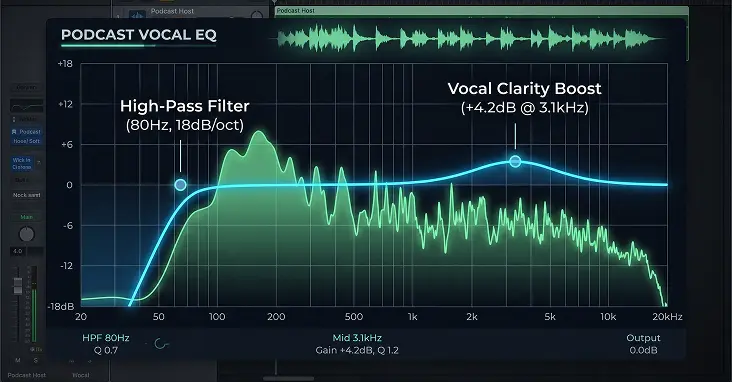
5. Adding Music and Exporting the File
Now add your background music, short sponsor messages and an outro that asks people to subscribe. Keep the music playing in the background. Lower the volume when someone is speaking so the voice stays clear. Add fade-ins and fade-outs to make transitions smooth.
Once everything sounds good export the file as an MP3. Use 128 kbps for mono or 192 kbps for stereo. Do not forget to fill in the metadata tags then you are ready to upload your podcast.
Wrapping It All Up
Editing a podcast takes time at first. You will get used to it after an episodes. Do not worry about making every perfect. Just make sure the audio is clean and easy to listen to. Make it pleasant, for your audience. As long as the voices are clear and the volume is okay people will keep listening. Get your headphones open the editing program. Try editing your podcast.