Lets be honest your Instagram bio is of like your digital business card. This is the place where you tell people who you are.
When someone clicks on your profile they read the 3 lines. In those 2 seconds they decide if they want to follow you or skip you. So if you are still using a dead link you are kinda losing followers without even knowing it.
How to Edit Instagram Bio?
The good news? Figuring out how to edit Instagram bio takes than 90 seconds. Phone or laptop you can do it now.
Okay, Why should you even change it?
Because things change. Simple as that. So if your bio is fresh people see what you’re doing now not what you did like 6 months ago.
So why bother?
Got something to share. Maybe a new blog post, YouTube video or your Shopify store. Just throw the link there. Your contact info is wrong. If your email is old how will clients reach you? You want a vibe. Business direction changes so your tagline should too.You want clicks. Honestly that one link in your bio is gold. Point it to your landing page or portfolio.
Changing it from your phone. Yeah 90% do it this way
This is what most people do.. Android, same thing if you want to learn how to edit Instagram bio on phone.
Step 1: Open Instagram. Tap your little profile picture at the bottom right.
Step 2: under your bio you’ll see Edit Profile. Tap that.
Step 3: Now tap on the Bio box.
Step 4: Write your bio. You can add 1 or 2 emojis to make it pop. Don’t overdo it. Remember you only get 150 characters.
Step 5: Tap Done on iPhone or that blue tick on Android.. Boom, its updated.
If you’re on a computer?
Typing on a keyboard is way easier tbh. So Here is the way how to edit Instagram bio on computer.
Step 1: Go to Instagram.com. Just log in.
Step 2: Click your profile picture on the side menu.
Step 3: Click the Edit profile button next to your username.
Step 4: Find the Bio box delete the stuff type the new one and hit Submit at the bottom.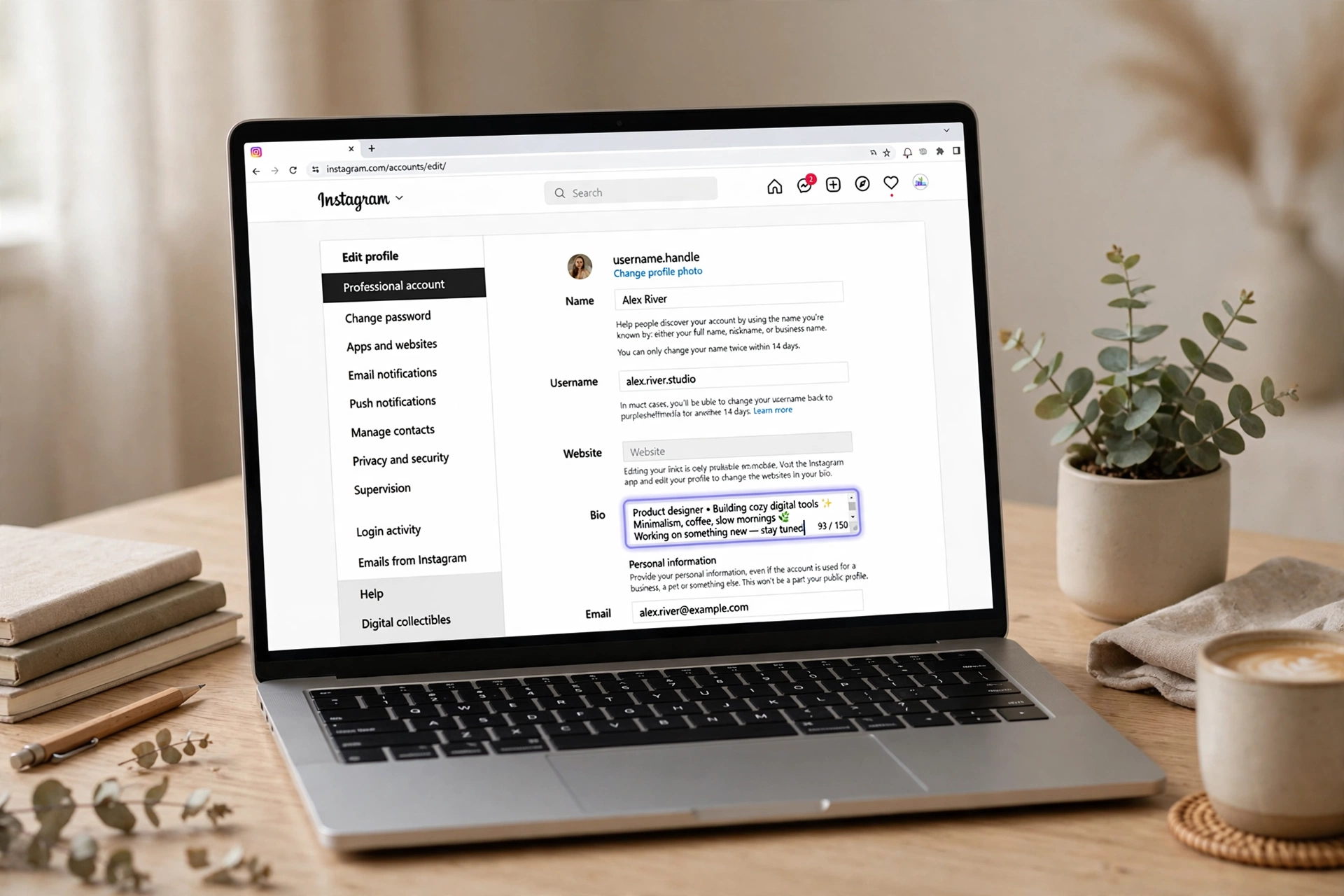
Writing a bio that doesn’t look off toned
Look changing it is easy. So writing an one is kinda hard. So here are 4 tricks that actually work.
- Tell people what to do
Don’t just put “Photographer”. That’s confusing. Also try “Photographer DM for bookings” or “Check my new presets below”. Give them a next step.
- Don’t write a paragraph
No one wants to read a wall of text on a tiny screen. So break it. Like this. Then use lines and emojis so people can read it super quickly.
- That one link, use it smartly
Instagram is kinda strict it only gives you one link. So don’t waste it on your Facebook. Link to your website, shop or use Linktree.
- That Name field hack
This is the one most people miss. As your Name field is searchable. Instead of just “Alex” write “Alex | Photo Retoucher”. You’ll show up when people search for a retoucher. Game changer.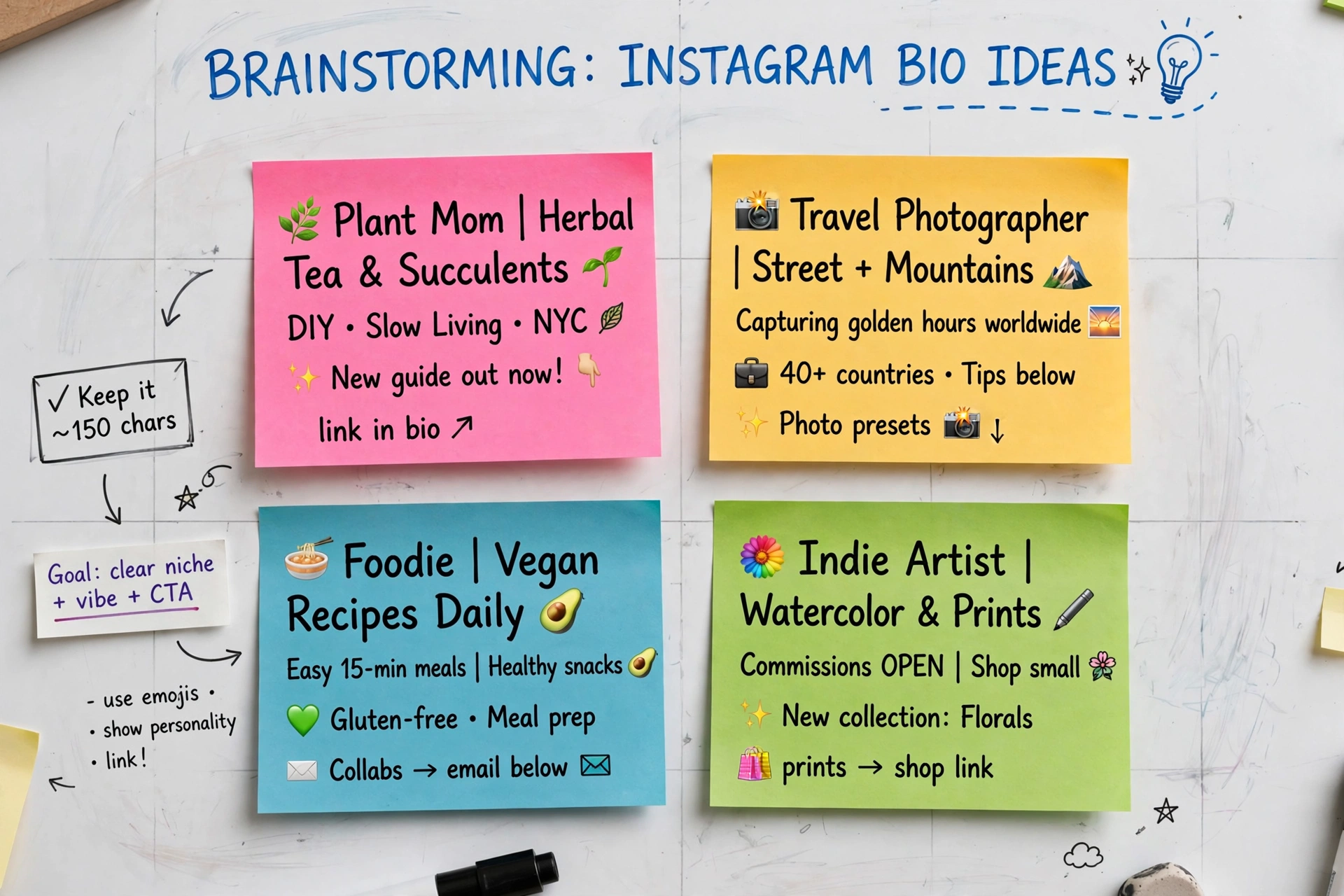
Bio not saving? Try this
If you get stuck on an error while saving try this. Then if it won’t save Check your character count. You’re probably, over 150.. Maybe you used a link Instagram doesn’t like. Also if line breaks keep breaking Do what I do. Write it in your phones Notes app format it nicely then copy paste it into Instagram. Works every time. If the app keeps freezing, clear the Instagram cache from settings and restart your phone.
So yeah, that’s it
At the end of the day a bio isn’t a few words. It’s literally why someone hits follow.
No need to make it super fancy or perfect. Just keep it clear keep it fresh and make sure that link works. So that tiny 2-minute fix is often enough to make your whole profile look brand new.
So why not open your profile now and fix that one old line?
Managing all your social profiles?
Check out our complete guide on How Do I Edit a Facebook Post? to optimize your profile effortlessly.