
A client once told me she almost cancelled our contract because she couldn’t tell what she was paying for. Traffic was up. Two keywords had hit page one. We’d fixed a dozen technical issues nobody outside SEO would ever notice or care about. None of that mattered because the report sitting in her inbox looked like a raw export from some analytics tool, full of numbers with no context attached. That’s the trap. Doing solid SEO work isn’t enough on its own if the SEO report you hand a client doesn’t actually explain any of it.
What Is an SEO Report and Why Does It Matter?
At the simplest level, it’s a rundown of how a website did in search across some window of time. Traffic, keyword movement, backlinks, that’s the usual core of it. Some agencies bolt on extras like page speed or conversions if the client happens to care about those too.
But no matter what gets added, the purpose doesn’t really change. A client who’s never once opened Search Console still needs a way to know whether their money is going somewhere useful. Here’s the part people get wrong though. Trust doesn’t come from bigger numbers. It comes from a client being able to read the thing start to finish without stopping to ask what half the terms mean. Once that happens a few times, something shifts in the relationship. They stop treating the invoice like a question mark. There’s also a benefit for you, the person writing it, one that’s easy to overlook. Sitting down every month and summarizing your own work tends to expose gaps you’d otherwise walk right past.
On frequency, I wouldn’t stress too much over weekly versus monthly versus quarterly. Pick one. Keep it consistent. Clients adjust to whatever rhythm you set, as long as it doesn’t keep changing on them.
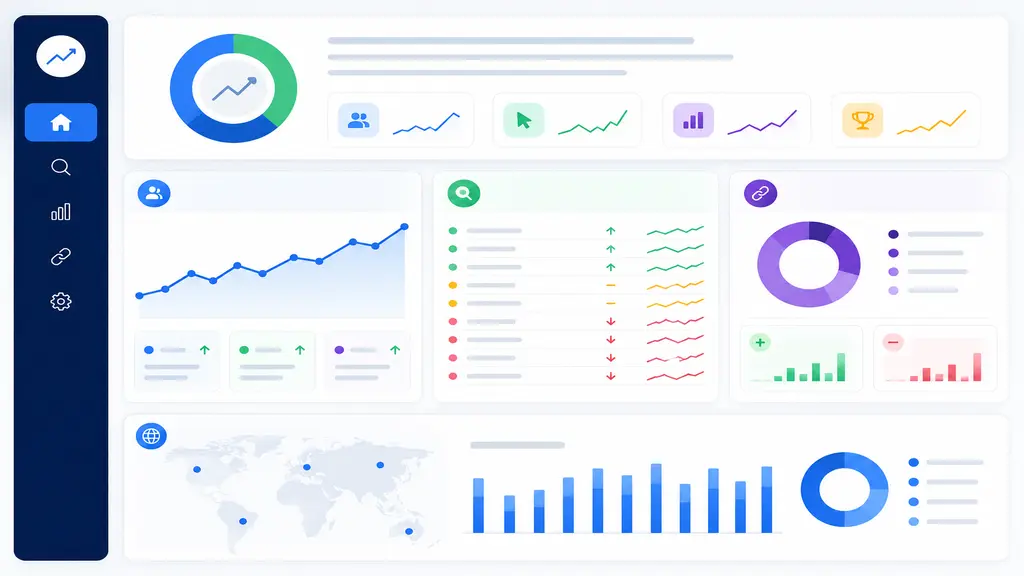
Key Sections to Include in an SEO Report for Client
Reports that wander from topic to topic without warning tend to lose people fast, and clients who already feel a bit lost with this stuff notice it even quicker. Go broad first. Narrow down after.
- Executive Summary: Top of the page, kept short. Whatever mattered most that period goes here, a traffic jump, a keyword breaking into the top ten, something a client can actually hold onto. Plenty of people never scroll past this section, so it has to earn its space.
- Organic Traffic Overview: Search visitors this period versus last, pulled from GA4 or Search Console directly. Sessions, new users, percentage change. That’s really it.
- Keyword Rankings: This is where clients tend to spend the most time reading. What went up, what dropped, anything new that broke into the rankings recently. Group by service category if there’s more than one line of business involved. A term crawling from page two to page one might not register much to us day to day, but to the client watching it happen, it can feel like a genuine milestone.
- Backlink Profile: Total backlinks, unique referring domains, and any strong new links picked up in the period. Worth a mention too if anything spammy got cleaned out along the way. Most people run this through Ahrefs or SEMrush.

Tools You Should Use to Create a Professional SEO Report
- Google Search Console: The usual starting point. Impressions, clicks, average position, and the exact queries pulling people toward the site, all free.
- Google Analytics (GA4): Picks up once a visitor actually lands, tracking how long they stay, where they bounce off, and which channel sent them there originally.
- SEMrush or Ahrefs: Paid, but they earn it once competition gets serious. Keyword tracking, backlink audits, and a decent view into what competitors are up to.
- Google Looker Studio: A lot of people still call it Data Studio out of habit. Build the dashboard once, and it keeps refreshing with fresh numbers on its own after that, no manual pulling required.
Put a few of these together and a report stops reading like a guess with graphs slapped on top. There’s actual substance holding it up.

How to Present the SEO Report to Your Client
Building it is genuinely the easier part. What happens after, how it gets delivered, tends to matter more than people give it credit for.
- Frame it before they open it. Dropping a dense file with zero context rarely goes well. A short call, or even a handful of written lines beforehand, tells the client what’s trending well and why, before they’re stuck digging through details on their own.
- Bring in visuals wherever they fit. A bar graph or line chart says more in a glance than a spreadsheet manages in five minutes of scrolling. Most of the tools above already build this in, so there’s rarely a reason to leave it out.
- Close on what’s coming, not just what already happened. New keyword targets, content in the pipeline, technical fixes still on the list, whatever’s genuinely next. Clients stay engaged longer when there’s a visible plan past last month’s numbers.
- Keep the wording plain. Nobody outside our little corner of marketing knows what “crawl budget optimization” means, and there’s no reason they should have to. Saying “making it easier for Google to find all your pages” gets the same point across without making anyone feel talked down to.
Conclusion
Building an SEO report that clients actually read, and trust, takes longer to get right than most people expect walking in. Cover the basics: traffic, rankings, backlinks, and a clear sense of what’s next. Present it in a way that doesn’t feel like homework to open. At Arafin Media, reporting gets the same attention as the strategy behind it. One without the other doesn’t hold up well on its own. If you’d like help refining your own reporting process, or just want to talk through what we do, reach out anytime.